Build with Claude.
Grow with Hettie
Claude makes the site. Say “publish this” and Hettie puts it online on your own domain. It shows who visits and saves every lead. No deploy setup.

What is Hettie
Hettie is the home for your Claude built marketing sites.
Make a landing page or marketing site in Claude, connect Hettie once and say publish. It goes live on your own domain, and Hettie shows who visits and saves every lead.
For Claude and ChatGPT builders, not hosting experts.
How it works
All from the tools you already use.
- 1
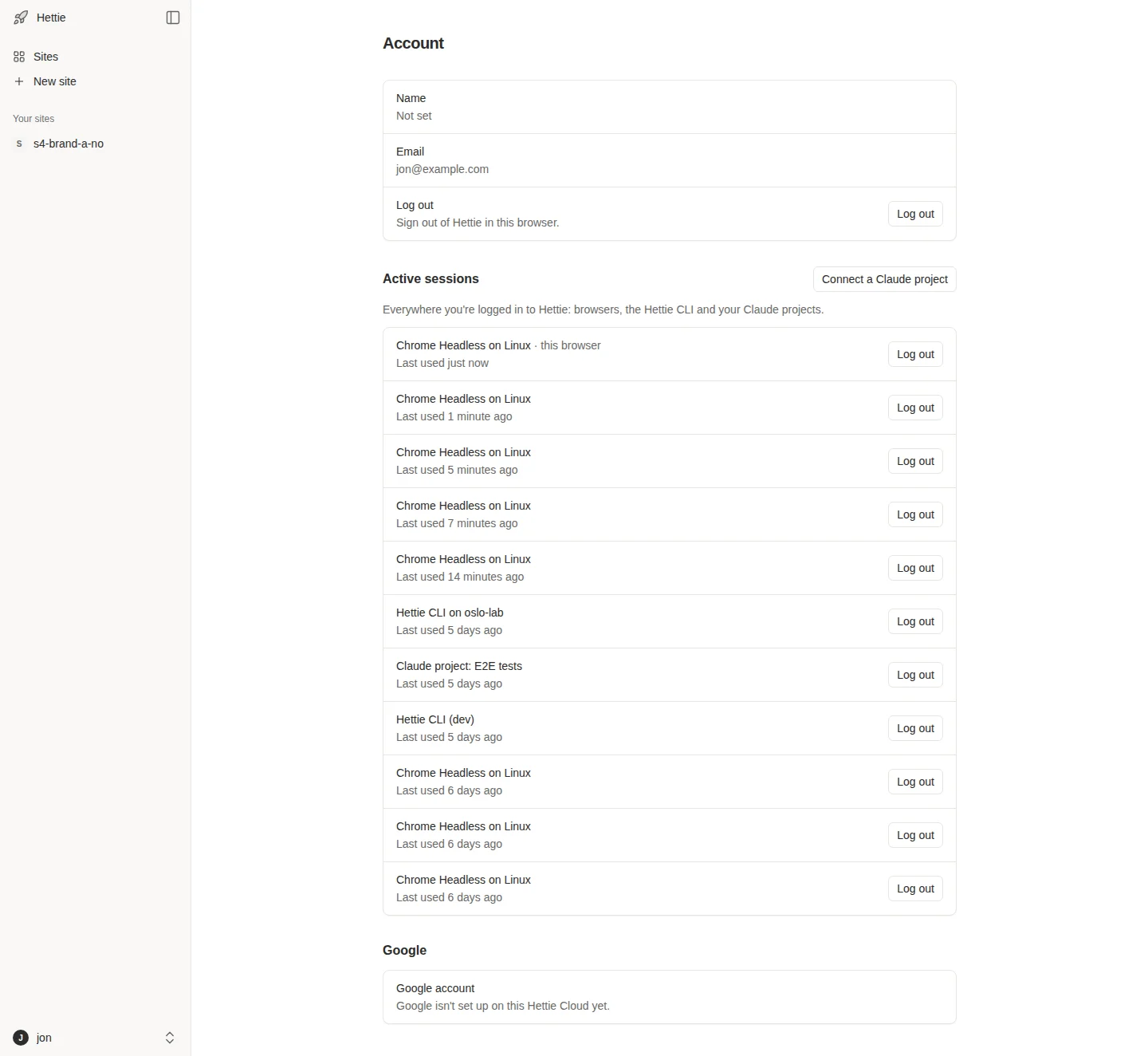
Connect ChatGPT or Claude
Connect Hettie to your AI once. See every connection in your account and log one out any time.
- 2
Publish this with Hettie
Live at happycakes.app
Where are my leads coming from?
Mostly from your Google Ads.
Publish and track from chat
Say publish and it goes live. Then ask for your visitors and leads, right in the chat.
- 3
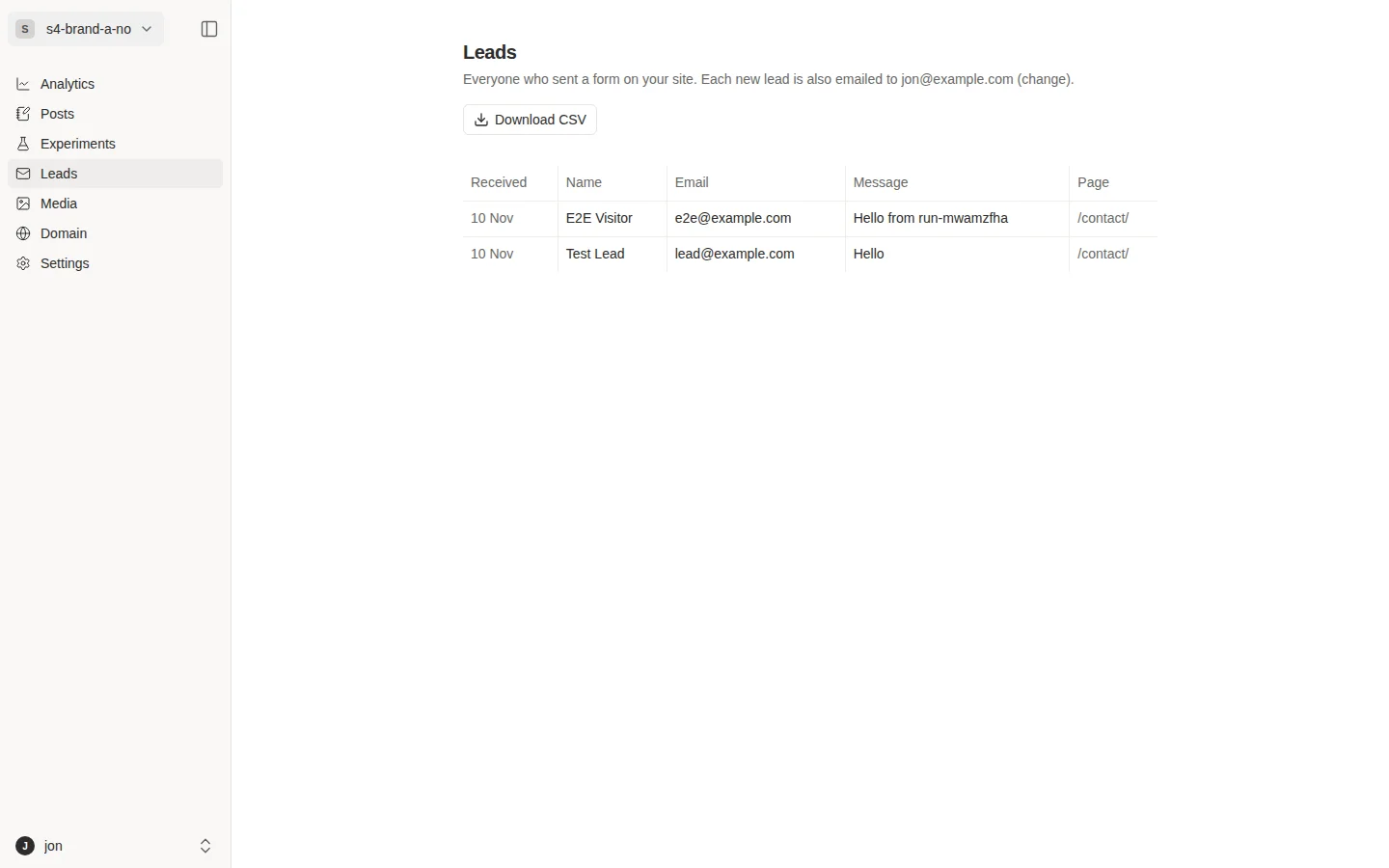
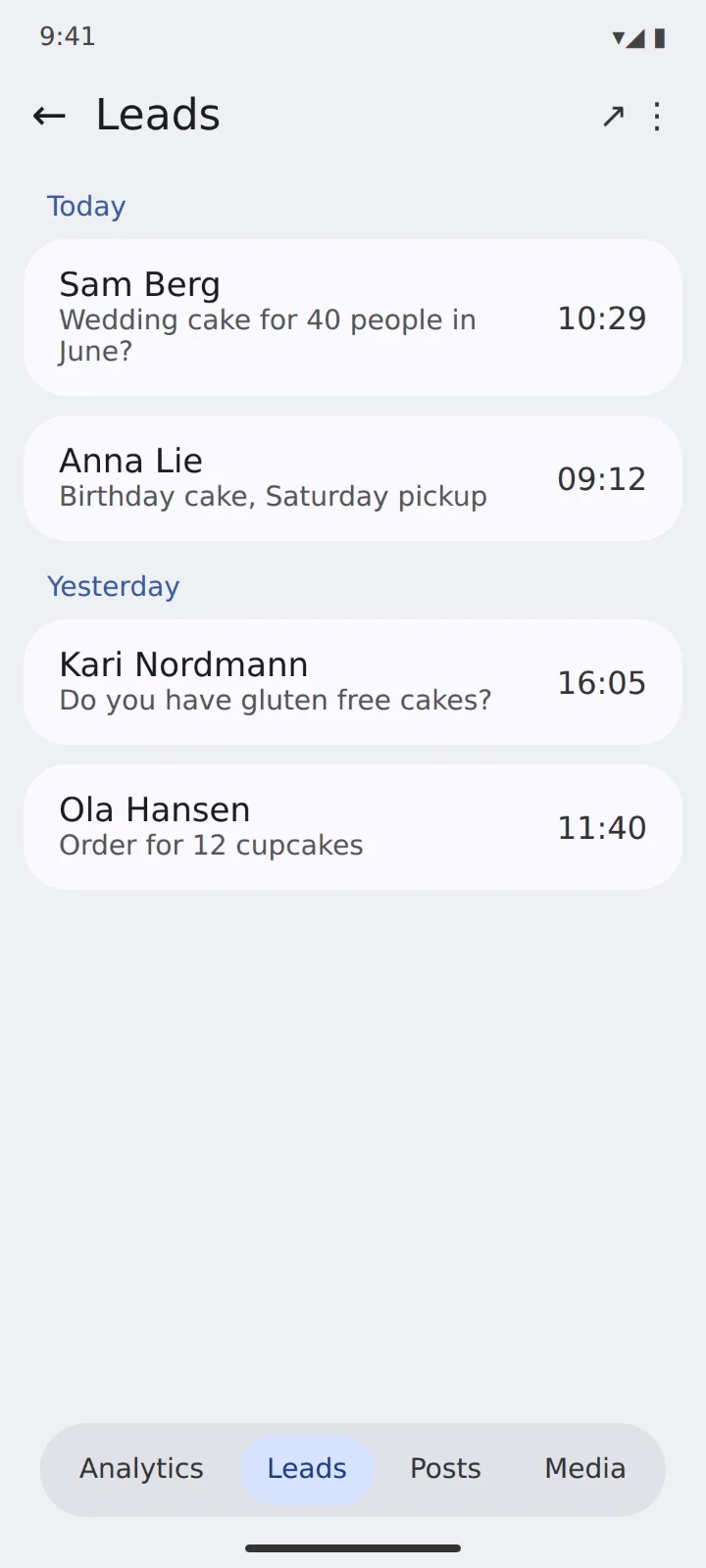
Manage in the app or web admin
Leads, visitors, posts, media and your domain, also in the web admin and mobile app.
Admin tool
Launch your marketing site. Track it on the go.
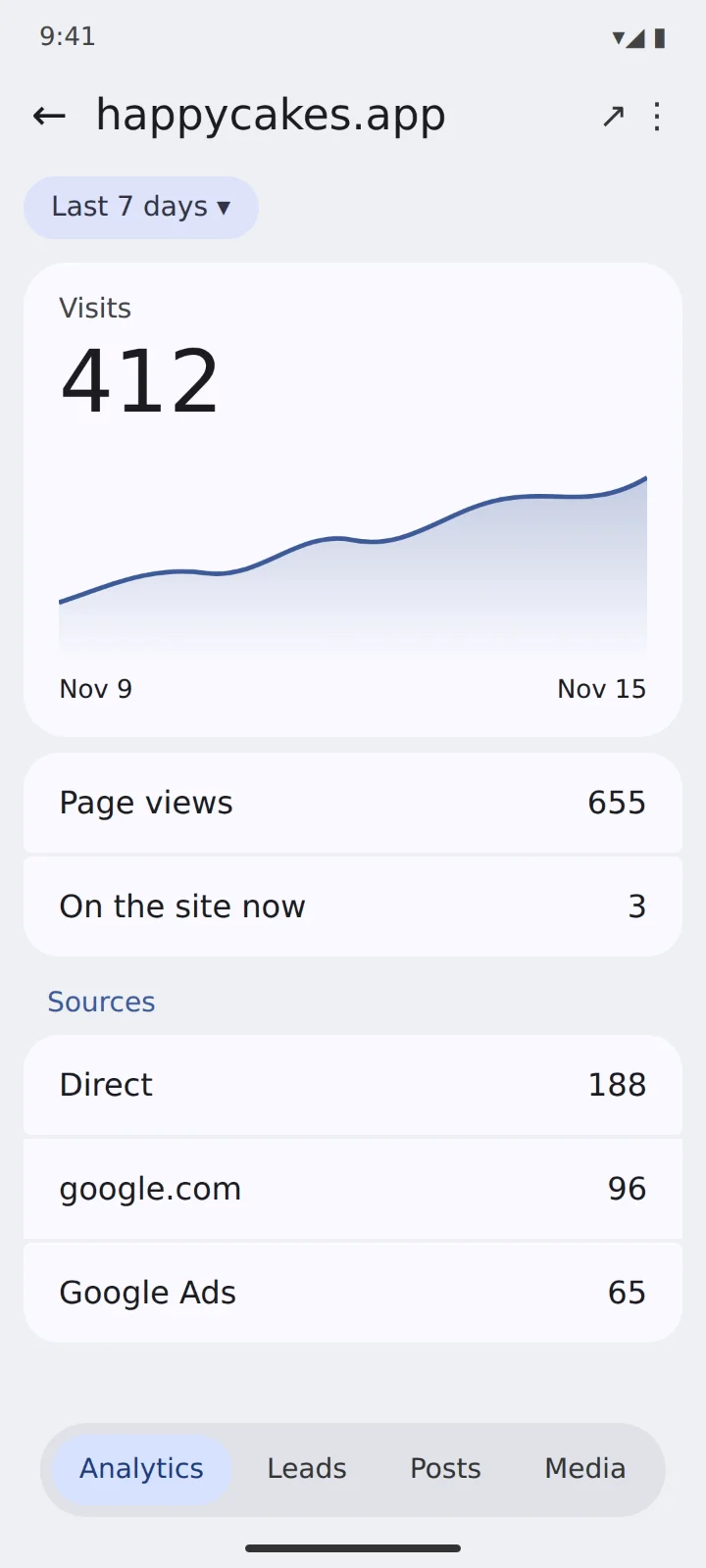
Your visitors and leads, in your pocket. See how the new site is doing between meetings, and answer a lead the moment it arrives.
- Visits at a glance for every site, with where people came from
- Every new lead with the page and source it came from
- Reply in one tap, straight from your phone
Just ask
Keep track of your marketing. Just ask AI.
Connect Hettie to Claude or ChatGPT once. Then ask how your sites are doing in plain words, and get your visitors, sources and leads back in the chat.
Connect with Claude or ChatGPTHow many leads did I get this week? Where did they come from, and which page did they sign up on?
What did each lead cost me last month? Break it down by Google Ads campaign and tell me which one to spend more on.
Which of my sites got the most visitors this month? Compare them side by side, with leads and lead rate for each.
Where did my visitors come from this week? Split it by ad, search, newsletter and links, and show which source brought the most leads.
Check my site for search problems, like missing descriptions or preview images, and fix what you find.
Write a short blog post about our new summer cakes and save it as a draft in Hettie for me to review.
The difference
The usual way vs Hettie
A marketing site used to take a designer, a marketer and a pile of tools. With Hettie you just chat, and everything else is built in.
- You need to know web design and marketing to get it right
- Forms, analytics and a blog stitched together from separate tools
- Tracking what works is hard, and the numbers live in different places
- Just chat, give feedback and publish
- Forms, analytics and a blog, all included
- Visitors and leads in one place, on the web or in the app
All in one place
Stop stitching tools together.
Hosting, stats, forms and leads usually mean four bills and four logins. Hettie puts all of it in one place, already connected.
- Publish from chatYour site goes live in seconds, straight from the conversation you built it in.
- Your own domainConnect a domain you own in a few steps. HTTPS is set up and renewed for you.
- LeadsEvery form reply is saved, emailed to you and tagged with where the visitor came from.
- AnalyticsVisitors, sources and top pages for every site, with no cookie banner and no script to add.
- BlogWrite in a clean editor or let AI draft for you. Posts go live the moment you press Publish.
- MediaYour photos and files in one library, served fast from short links you can use anywhere.
- Versions and undoEvery publish is kept. If something looks wrong, put the last version back in a second.
- All your sitesSee visitors, leads and lead rate for every site side by side, grouped your way.
- Google Analytics and AdsConnect Google once. Leads count as Ads conversions, and spend turns into cost per lead.
- Built for AI agentsYour AI can do anything you can in Hettie, and our guides are written for it to follow.
- Search and AI reviewHettie checks every site for what search engines and AI tools need, and your AI can fix it.
- Mobile appSee visitors and new leads on the go, and reply in one tap. Coming soon.
Works with Claude and ChatGPT
Publish from chat or from your terminal.
- In chatAsk Claude or ChatGPT to publish your site, show your visitors or list your new leads.
- In your terminalIn Claude Code or Codex, run
hettie publishin your project folder.
Why Hettie
Simple from the first publish.
- Quick and easySay publish and your site is live on your own domain. No setup, no servers, nothing new to learn.
- Small, fast sites that growYour pages load in a blink and keep up as your visitors grow from a handful to a crowd.
- Marketing made simpleVisitors, leads and forms in one place, so you always know what is working.
- All from Claude or ChatGPTBuild, publish and check on your site in the chat you already use.
Questions you might have
Hettie hosts the sites you make with Claude. Make a landing page or a whole site in Claude or Claude Code, say publish, and it goes live with its own link. Hettie then shows who visits, saves every lead, and helps you find what works best.
Add Hettie to Claude once. After that, just say “publish this” and you get a live link back in the chat. In Claude Code, run hettie publish in your project.
Most hosting gives you a link and then silence. Hettie also counts your visitors, shows where they came from, and saves every lead.
No. You talk to Claude. Claude makes the site, and Hettie puts it online. There are no servers to set up and nothing to configure.
Anyone who fills in a form on your site. Each one is saved in Hettie, next to the site it came from, and emailed to you.
Yes. See all your sites in one view, and put them in groups by client, product or campaign.
Yes. Add your domain in Hettie and follow the steps. Your site shows up there, served over HTTPS.
Yes. Ask Claude for the change and publish again. The people you shared the link with see the new version.
No. Hettie connects to Google Ads to track what you spend and what you get back. You stay in charge of your ads.
Yes. Connect GA4 and your traffic shows up next to your visitors and leads in Hettie.
Yes. Start free, then move up or down any time. Your sites stay online while you switch.